
My Little Work – Garage
Filimundus ABCasual
4.220.00 Reviews
- Version
- 2.4.4
- Installs
- 50.00K
- Age Rating
- Everyone
Screenshots

Our Review of My Little Work – Garage
 Analysis by Appyee
I look at a garage game differently when I’m deciding whether to hand it to a child or play it myself: the controls need to make sense, the screen should be easy to follow, and the pace should leave room to explore. My Little Work – Garage has a friendly, playful premise, but its appeal depends on what you want from a casual game. It is about getting involved with cars through repair tasks and then taking them racing, rather than studying real mechanics or competing in a demanding driving simulation.
Who will feel at home in this garage?
I’d start with this game for a child who already enjoys toy cars, pretend play, or watching someone work on a vehicle. It gives that interest a simple interactive outlet: there is a garage to explore, customer cars to work on, and the prospect of racing afterward. Adults looking for a gentle, car-themed distraction may enjoy the same routine, especially if they prefer playful interaction to realistic simulation.
The game is made by Filimundus AB and sits in the casual-games space. Its age rating is Everyone, which makes it broadly suitable from a content perspective, though a parent should still consider a child’s comfort with touch controls, reading, and on-screen activity. The price is $4.99, with in-app purchases listed at $0.99 per item. That makes it worth checking whether the basic experience suits your household before treating it as an ongoing game purchase; a paid entry price and optional purchases are different considerations.
A useful way to approach a play session
Rather than expecting a long story or a competitive ladder, I’d treat the garage as a short, focused activity. A child can settle in, concentrate on one car-related task, and then move on when attention starts to wander. That makes it a plausible choice for a quiet period at home, such as a brief break before dinner, rather than a game that needs to fill an entire afternoon.
One practical tip is to let a new player explore the interface at their own pace before offering help. If they get stuck, a calm prompt to look at the car and the task at hand is more useful than taking over the screen. That small distinction matters: the fun is partly in feeling that you are doing the work yourself, not simply watching an adult complete it.
I would also keep the racing element in perspective. It gives the garage activity a playful destination, but this is not the same proposition as a dedicated racing game built around detailed handling, lap times, or head-to-head competition. If the person playing mainly wants speed and precision driving, a conventional racing title is likely to be a better match. Here, the car-work setting is the point.
How it feels to use
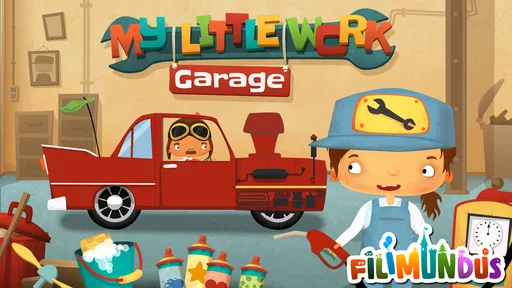
From the moment I fired up My Little Work – Garage, I was greeted with a vibrant and engaging interface. The graphics are colorful and cartoonish, making it immediately appealing to younger audiences, but there’s enough depth here to keep any car enthusiast entertained.
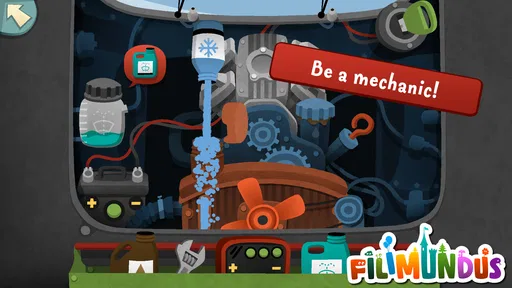
Navigation is a breeze, with intuitive controls that guide you smoothly through different sections of the garage. Whether you’re changing a tire or fixing the engine, the app provides clear instructions, making it easy to dive right into the action.
Readability and navigation
For a casual game aimed at a broad audience, clear visual cues matter more than a complex menu. The original experience feels approachable, and its step-by-step tasks give a new player a natural reason to focus on one action at a time. That structure can help someone who finds open-ended games confusing: there is a concrete object on screen and a practical goal to work toward.
Even so, “easy to navigate” does not mean every player will find every interaction effortless. Children who are still developing fine motor control may need time to learn where and how to touch the screen. I’d sit nearby for the first session, not to direct each move, but to see whether the player can identify the next action without frustration. If the game becomes a sequence of adult corrections, it may be better to pause and try again later.
Motor and sensory comfort
The garage theme offers a calmer alternative to games that rely on rapid reactions throughout. The repair side invites attention to a specific car and task, which may suit players who prefer deliberate interaction. Racing adds a different kind of activity, so a parent can observe whether that shift feels exciting or overwhelming for the particular child. I would not assume that a colorful presentation is automatically comfortable for every sensory preference.
Sound effects and visual animation can make a game feel lively, but they can also be distracting for someone who is sensitive to busy screens or prominent audio. A sensible first try is a short session in a quiet setting, with an adult close enough to notice signs of discomfort. If the player seems more absorbed by the effects than able to follow the activity, that is useful information when deciding whether to continue.
Where it fits in everyday life
This is an option for a supervised play break, a car-themed activity at home, or a shared moment where an adult and child can talk about what they notice on a vehicle. It is not a replacement for hands-on workshop experience, and it should not be treated as a lesson in carrying out real repairs. The value is in imaginative, screen-based play and the chance to engage with familiar parts of a car in a low-stakes setting.
It may be less suitable when a child needs an app with clearly adjustable controls, a quieter sensory profile, or a very specific accessibility feature. I wouldn’t choose it on the assumption that those options are available. For a player who benefits from help, though, playing alongside a trusted adult can turn the game into a shared activity rather than a test of independent navigation.
The Gameplay Experience
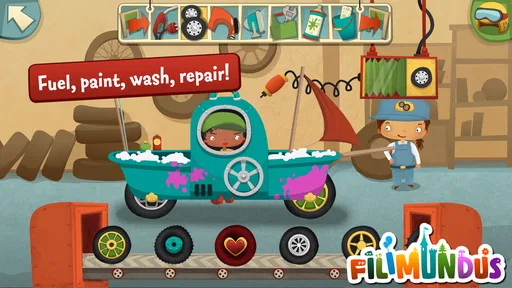
What sets this app apart is the variety of tasks you can perform. You're not just limited to one area; you can work on various car parts, from the engine to the bodywork. The game encourages creativity and problem-solving as you figure out the best way to repair each vehicle.
Each task presents a new challenge, and the satisfaction of seeing a car transformed from a clunker to a shiny, well-oiled machine is immensely rewarding. The app does a fantastic job of mixing fun with a hint of education. Kids can learn the basics of car maintenance, and who knows, it might inspire some future mechanics!
My advice is to let the player describe what they think is happening before jumping in with explanations. That turns a repair task into an easy conversation about how cars work, without pretending the game is a complete mechanics course. It is also a good way to see whether a child enjoys the process of noticing and fixing things, or mainly wants to get to the next activity.
Compared with many casual games built around collecting items or repeating quick rounds, this one has a more tangible theme: a vehicle comes in, work happens, and racing adds a change of pace. That theme can make it easier for a car-loving child to stay engaged. The trade-off is that players who want a broad variety of settings or a clearly escalating challenge may find the garage premise narrower than a general-purpose casual game.
Visuals and Sound
The graphics in My Little Work – Garage are superb. The attention to detail in the car models and workshop environment is impressive. Every tool and part is rendered beautifully, offering a visually pleasing experience.
The sound design complements the visuals perfectly. The clinking of tools, the hum of the engine, and the overall ambiance of a busy garage are captured authentically. It’s these little touches that make the app so immersive.
For families, the most useful question is not whether the presentation is lively, but whether it helps the player understand what to do. A child who responds well to visual examples may find the garage setting inviting; someone who relies on spoken guidance or needs a less stimulating screen may need more support. I’d watch for whether the player can stay oriented when moving between a repair activity and a race, rather than judging suitability from the opening screen alone.
Features Worth Highlighting
The app is packed with features that enhance the gameplay. You can customize cars with different colors and decals, adding a personal touch to each project. There’s also a handy tutorial mode for beginners, ensuring that players of all skill levels can enjoy the game.
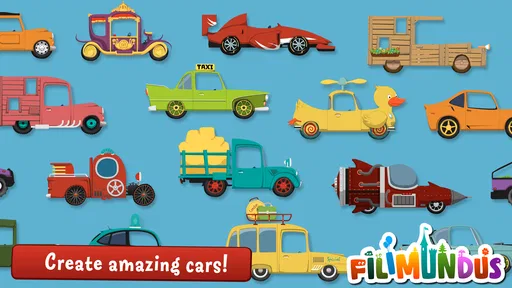
Another great feature is the variety of cars available. From classic sedans to sporty convertibles, there’s a wide range of vehicles to work on. Each car has its own set of challenges, keeping the content fresh and engaging.
Customization gives a player a reason to make a car feel like their own, while the repair work provides a more goal-oriented counterbalance. If someone starts rushing through every task, I’d suggest slowing down and spending a moment on the choices that let them personalize a vehicle. That can make a short session feel more satisfying without needing to turn it into a competition or set a score target.
The tutorial is a sensible starting point for someone unfamiliar with the game’s rhythm. I’d use it to learn how the interactions work, then let the player take over rather than repeating instructions for them. For a child who already understands touch games, it may be enough to get started; for a younger or less confident player, an adult nearby can help distinguish a confusing control from a task that simply takes practice.
Cost, expectations, and staying power
The game has a 4.2 average from around 674 ratings, with 20 written reviews and over 50,000 installs. Those figures suggest that it has found an audience, but they cannot tell me whether it will suit a particular child or household. I would base the decision more on the player’s interest in pretend repairs and whether the touch-based activities feel comfortable.
It was released on October 23, 2013, and its current version is 2.4.4. It supports Android 6.0 and later. Those details are useful when checking an older device before buying, especially if the game is intended for a child’s hand-me-down tablet. The listed in-app purchases cost $0.99 per item, so I’d review purchase controls on the device before letting a child play unsupervised; that is a practical precaution for any game with optional paid items.
For staying power, I would ask whether the player enjoys returning to the same garage concept, not whether the game can provide endless novelty. The car variety and different tasks offer changes within a focused theme, but that focus is also its limit. Someone who quickly tires of vehicles, or who wants a story with a large cast and evolving locations, may be happier with a different casual game.
Room for Improvement?
While the app is fantastic, there’s always room for growth. I’d love to see more advanced levels for seasoned players, perhaps involving more complex car models or rare parts. Additionally, a multiplayer mode could be a fun addition, allowing players to collaborate or compete in car repair challenges.
My bigger reservation for an inclusive recommendation is that a friendly look does not answer every access question. A player who needs larger controls, reduced animation, alternative input, or detailed spoken instructions should not assume the game provides those options. I’d try it with the intended player and device before relying on it for independent use. That is especially important if the player finds small touch targets or shifting visual cues tiring.
There is also a difference between being accessible in spirit and being adaptable in practice. The game’s straightforward car theme may make it approachable for many people, but a single interaction style will not work equally well for everyone. If someone can enjoy the garage only with frequent help, that may still be worthwhile as a shared activity; it simply is not the same as an app they can comfortably use alone.
Who should choose it—and who should pass?
I’d recommend trying it for a child who likes cars and enjoys making, fixing, or customizing things, or for an adult who wants a low-pressure casual game with a clear theme. It can also work as a small shared activity: an adult can ask what the player thinks needs attention on a car, then let them explore the game’s own version of the task. That makes the screen time more conversational without turning play into a lesson.
I would look elsewhere if the main goal is realistic mechanical training, demanding racing, multiplayer play, or a game designed around specific access settings. A dedicated driving game is a better fit for someone focused on race handling, while a construction or puzzle game may suit a player who likes problem-solving but has no interest in cars. Choosing based on the player’s actual interest is more useful than assuming that a broadly suitable age label guarantees a comfortable experience.
Final Thoughts
Overall, My Little Work – Garage is a charming and entertaining app that successfully blends fun with learning. It’s perfect for car enthusiasts of all ages, offering a hands-on experience without any of the mess. Whether you’re looking to pass the time or nurture a budding interest in mechanics, this app is a must-try. So grab your virtual wrench and start fixing!
My more measured take is that its strongest case is specific: a player who already likes cars gets a gentle place to act out garage work, personalize vehicles, and enjoy a bit of racing. It is less convincing as a universal pick for every child or as a substitute for a more demanding simulator. Try a short, supervised session first, see whether the player can follow the interactions comfortably, and then decide whether the focused garage loop is worth the purchase for your household.
Verdict
Strengths of My Little Work – Garage
- Intuitive interface for easy navigation.
- Engaging tasks that teach problem-solving.
- Colorful graphics appeal to children.
- Encourages creativity and exploration.
- No in-app purchases, safe for kids.
Limitations of My Little Work – Garage
- Limited vehicle options after a while.
- Requires internet for some features.
- Repetitive tasks may bore older users.
- Occasional lags on older devices.
- Background music can become repetitive.
Other Releases by Filimundus AB
View All
BRIO World - Railway
Educational4.4

Inventioneers Full Version
Educational4.8
Similar Picks in This Category
View All
My Talking Angela
Outfit7 Limited4.2

My Talking Tom
Outfit7 Limited4.3

Pou
Zakeh4.2

My Talking Tom 2: Pet Game
Outfit7 Limited4.3

Candy Crush Saga
King4.6

Bridge Race
Supersonic Studios LTD4.1
Frequently Asked Questions
What is My Little Work – Garage?
My Little Work – Garage is an interactive simulation game designed for children, allowing them to explore the workings of a garage. Players can engage in activities like fixing cars, changing tires, and painting vehicles, promoting creativity and problem-solving skills in a fun, educational environment.
Is My Little Work – Garage suitable for all age groups?
The game is primarily designed for children aged 4 to 10. It features simple controls and colorful graphics, making it easy for young users to navigate. However, it can also be enjoyable for older kids who appreciate simulation games with educational value.
Does My Little Work – Garage require an internet connection?
No, My Little Work – Garage does not require a continuous internet connection. Players can enjoy the game offline, making it convenient for travel or situations where internet access is limited. However, an internet connection may be needed for downloading updates or additional content.
Are there in-app purchases in My Little Work – Garage?
My Little Work – Garage offers a complete experience without mandatory in-app purchases. However, there may be optional items or features available for purchase to enhance gameplay. Parents can manage in-app purchases through the device settings to ensure a safe gaming experience for children.
How does My Little Work – Garage promote learning?
The game promotes learning by encouraging children to solve mechanical puzzles, understand basic car maintenance, and utilize creativity through customization options. These tasks develop problem-solving skills, hand-eye coordination, and foster an interest in mechanics, making learning engaging and enjoyable.
Play our best games!


